How It Works
From source to anomaly, step by step.
This page is about operating flow: how logs enter Parsen, how normal gets learned, how anomalies are surfaced, and what the operator does next.
The operating sequence
Parsen is easiest to understand as a sequence: source, learning, matching, anomaly detection, review.
Connect a source
Add a service or upload a file so Parsen has real logs to work from.
Teach normal
Use a normal period of operation so Parsen can learn recurring patterns.
Match incoming logs
New lines are checked against the learned pattern model.
Detect anomalies
New patterns, surges, and silence are surfaced against what normal looked like before.
Review and acknowledge
The operator inspects the anomaly, decides whether it is expected, and acknowledges intentional changes.
Step 1
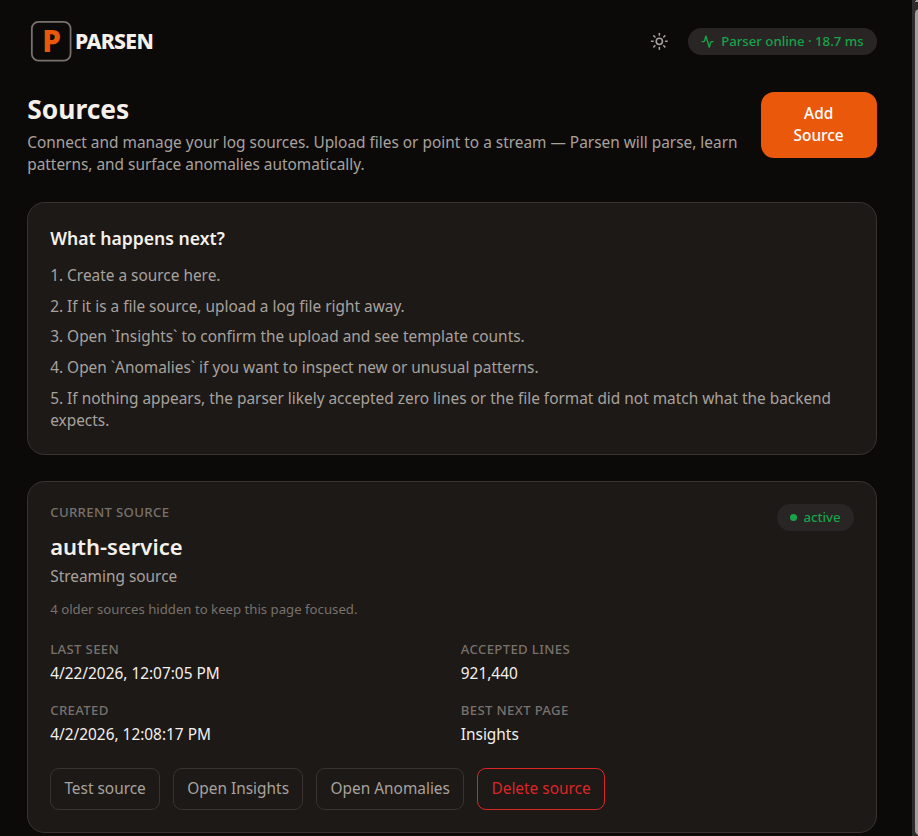
Connect a source and confirm logs are flowing
The first practical step is not theory. It is getting a service connected so Parsen can observe real log traffic.
One source per logical service
Add `api`, `auth`, `worker`, or whatever your internal service name is. You can add more later.
Accepted lines matter
The first check is simple: did Parsen accept the lines and can it tell you what page to open next?
Insights or anomalies next
Once logs are flowing, the next useful pages are the ones that summarize patterns and anomalies.
Step 2
Teach Parsen what normal looks like
Parsen learns recurring patterns from real logs. That learned model becomes the reference point for future anomaly detection.
Use a normal period
A boring, normal day or week is the right starting data. The goal is to teach Parsen expected structure before something breaks.
Patterns become inspectable
What Parsen learned is not hidden. You can review the discovered templates and decide whether they make sense.
Matching improves with history
As more normal patterns are learned and acknowledged, future deploys usually produce fewer surprises.
Step 3
Detect anomalies and open the unusual thing
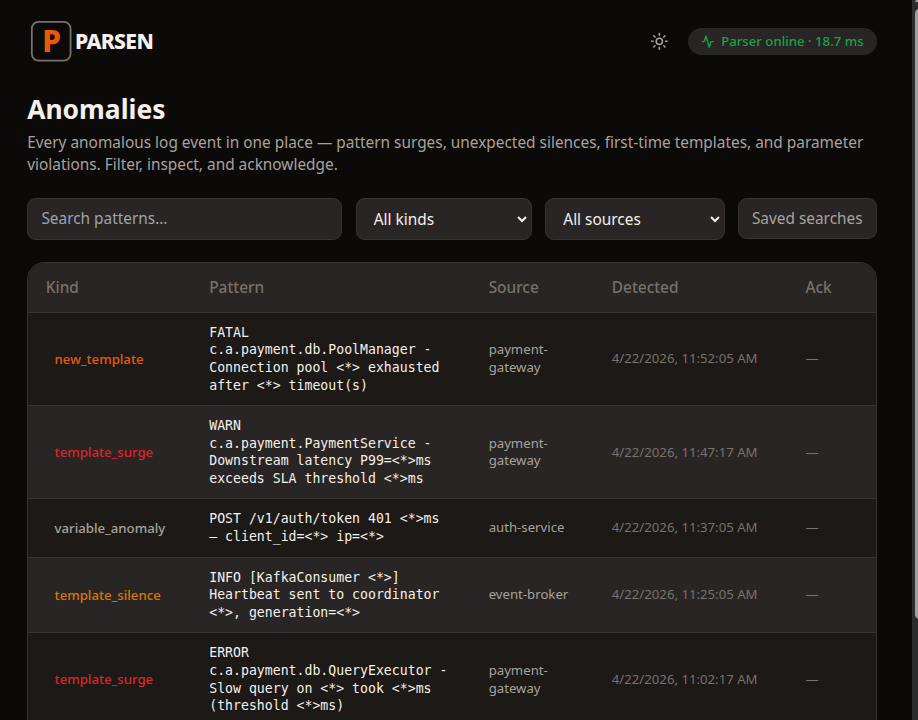
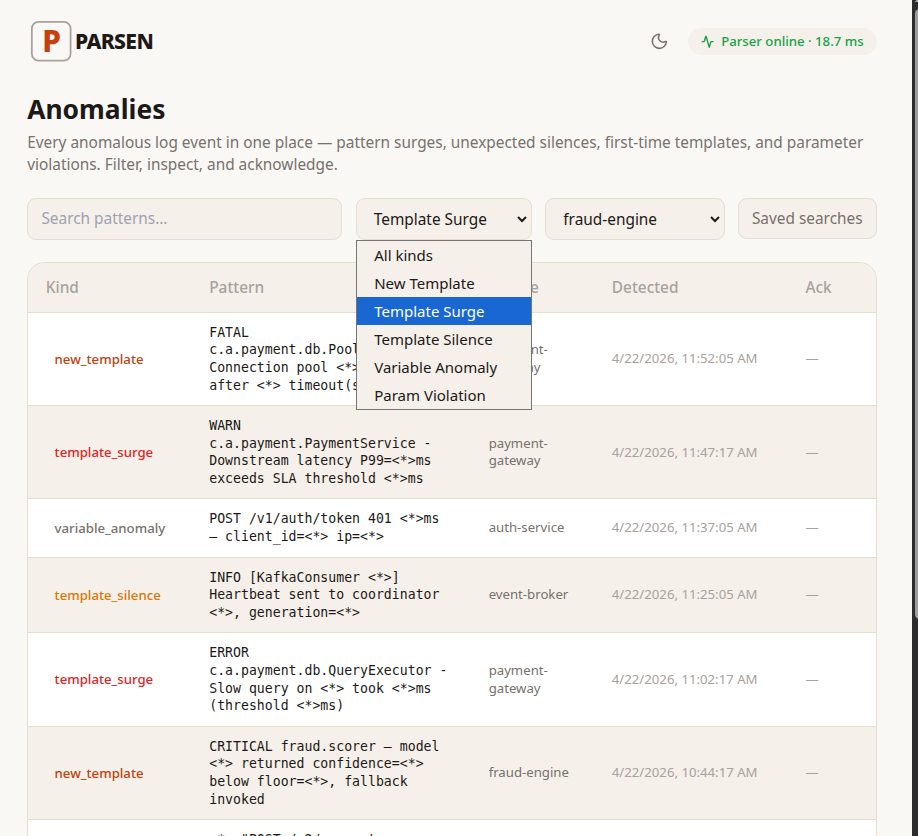
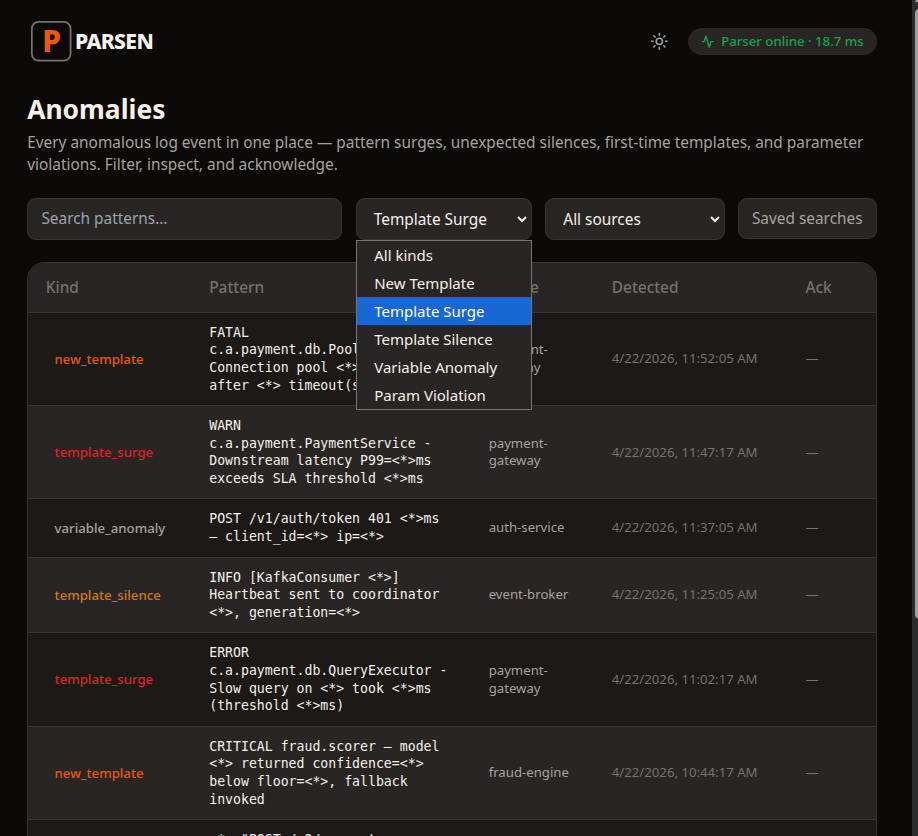
Once patterns are learned, the core workflow becomes short: open the dashboard, see what changed, click into the anomaly.
New pattern
A service logs something it never logged before. That is often a deploy change or a new failure path.
Template surge
A known pattern suddenly fires much more than usual. That often means a live incident is spreading.
Template silence
A recurring pattern stops appearing. That often means something expected is no longer happening.
Step 4
Acknowledge expected changes after deploys
When a deploy intentionally changes logs, the operator reviews those new patterns once, acknowledges them, and moves on.
Review what changed
The anomaly record tells you which service changed, what the pattern looks like, and when it started.
Acknowledge the expected patterns
Intentional changes are not an emergency. They are something to review and accept so future noise stays lower.
Keep the workflow short
The point is not to turn deploy review into another project. It is to keep monitoring useful as the system evolves.
Parsen works best when the operator flow stays short.
Connect a source, teach normal, open the anomaly, acknowledge the expected changes, and get back to work.