Onboarding
Upload your logs. You’re monitoring.
No parser rules to write. No ingestion pipeline to configure. Everything from this point happens in the dashboard.
Before You Start
Choose the right onboarding path
One question matters first: do you already have labeled log data paired with template labels?
No labeled data
Use Analyse logs. Upload a normal log file and let Parsen learn the patterns.
Labeled CSV available
Use Import labeled CSV if you are migrating from another parser or want higher day-one accuracy.
Not sure?
Start with Analyse logs. You can switch later.
Getting started
The shortest honest onboarding sequence is install, add source, teach normal, set alerts, then do a normal deploy.
Install Parsen
Download Parsen and run the startup script. The dashboard opens locally.
Add your first service
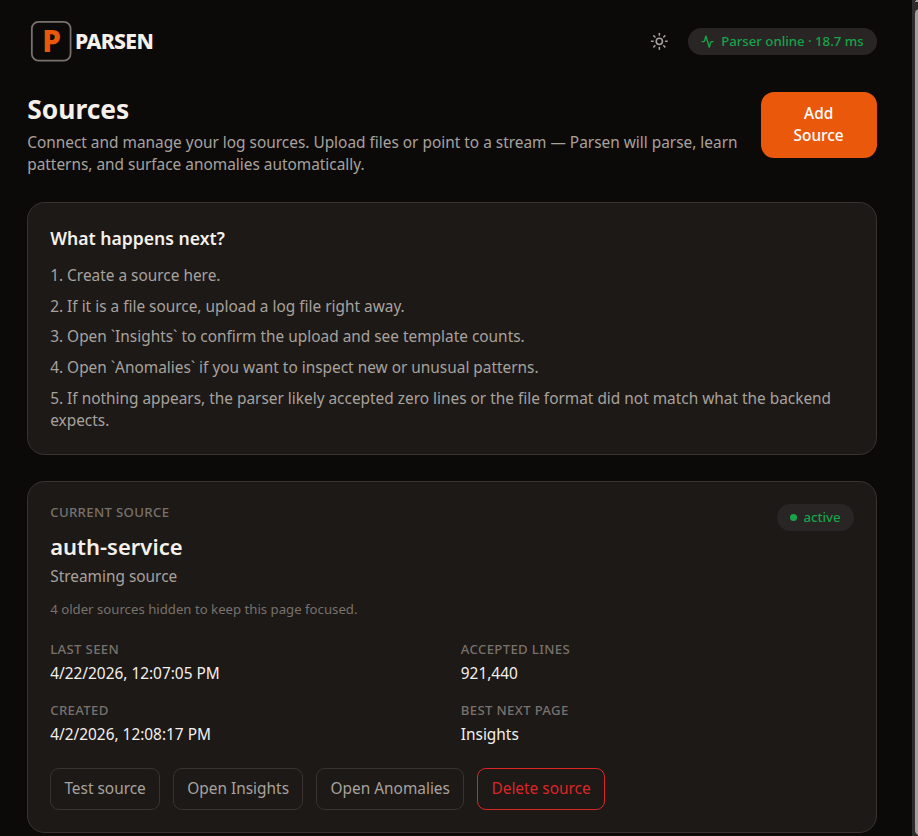
Go to Sources, add a source, and use the service name you already use internally.
Teach Parsen what normal looks like
Upload a normal log file or import labeled CSV data.
Set three alerts
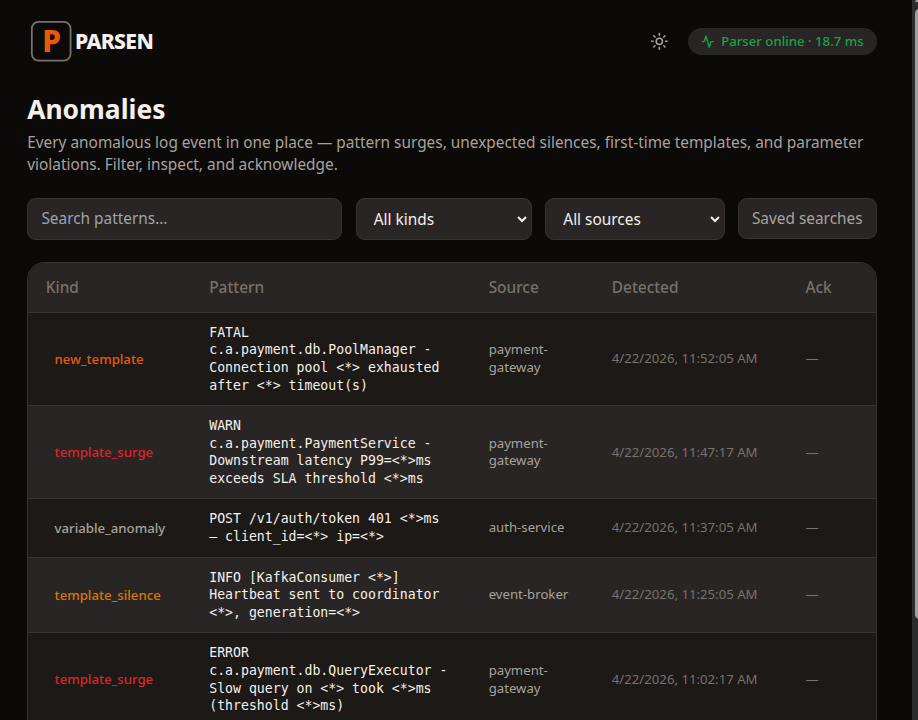
Start with new pattern, service silence, and sudden spike.
Do a deploy and review changes
A few new-pattern anomalies are expected after onboarding. Review and acknowledge the intentional ones.
Training
Two paths into the same product
Both paths end in the same place: Parsen knows what normal looks like and can start surfacing what changed.
Path A — Analyse logs
Most users start here. Upload a normal log file, run analysis, review coverage, and apply the grammar.
What file to use
Use a boring normal period, not a week where everything broke. That is what teaches Parsen normal structure.
Path B — Import labeled CSV
Use this if you already have raw lines paired with template labels and want stronger day-one results.
When CSV is worth it
Migrating from another tool, handling unusual formats, or needing higher accuracy from day one are all good reasons.
Alerts
Start with three alert rules
You do not need a giant alert catalog on day one.
New unknown pattern
Something your service has never logged before just appeared.
Service silence
A heartbeat or expected event stopped appearing, which often means the service stopped doing something important.
Sudden spike
A known pattern is firing far more than usual.
Onboarding FAQs
The first setup should stay small and practical.
Do I ever need to retrain manually?
Parsen is designed to improve as you acknowledge patterns. In normal use, you are reviewing changes rather than managing a scheduled retraining process.
What if coverage is low after bootstrap?
Upload a longer or more representative log file and try again. If you have labeled data, the CSV path is the stronger fallback.
Can I add multiple services?
Yes. Repeat the source setup per logical service. Each source is independent.
What if my logs contain sensitive data?
Parsen is self-hosted. Your logs stay on your machine or server.
After first deploy: review the new patterns and keep moving.
The goal of onboarding is not to create a permanent setup project. It is to get Parsen watching real services with minimal operator drag.